Engineering

How we take data-driven decisions with LogSnag

How we take data-driven decisions with LogSnag

It's important for every new product to take the right decisions as often you can, and thanks for our public roadmap, votes on feature request and building in public we have a deep connection with our users, but on top of that we also want data to back our decisions. And thats why we have implemented LogSnag to track a lot of events so we can take data-driven decisions too.


There are planty of ways how you can implement analytics, in this blog post we will share how we solved it in Midday using NextJS and server-actions.


Because we have a monorepo we started with creating a new package called @midday/events where we install @logsnag/next.


The package includes all the events we want to track in Midday for example:

{

    SignIn: {

        name: "User Signed In",

        icon: "🌝",

        channel: "login",

    },

        SignOut: {

        name: "User Signed Out",

        icon: "🌝",

        channel: "login",

    },

}

And based of these realtime events we can make clear graphs like Line Chart, Bar Chart and Funnel Charts.
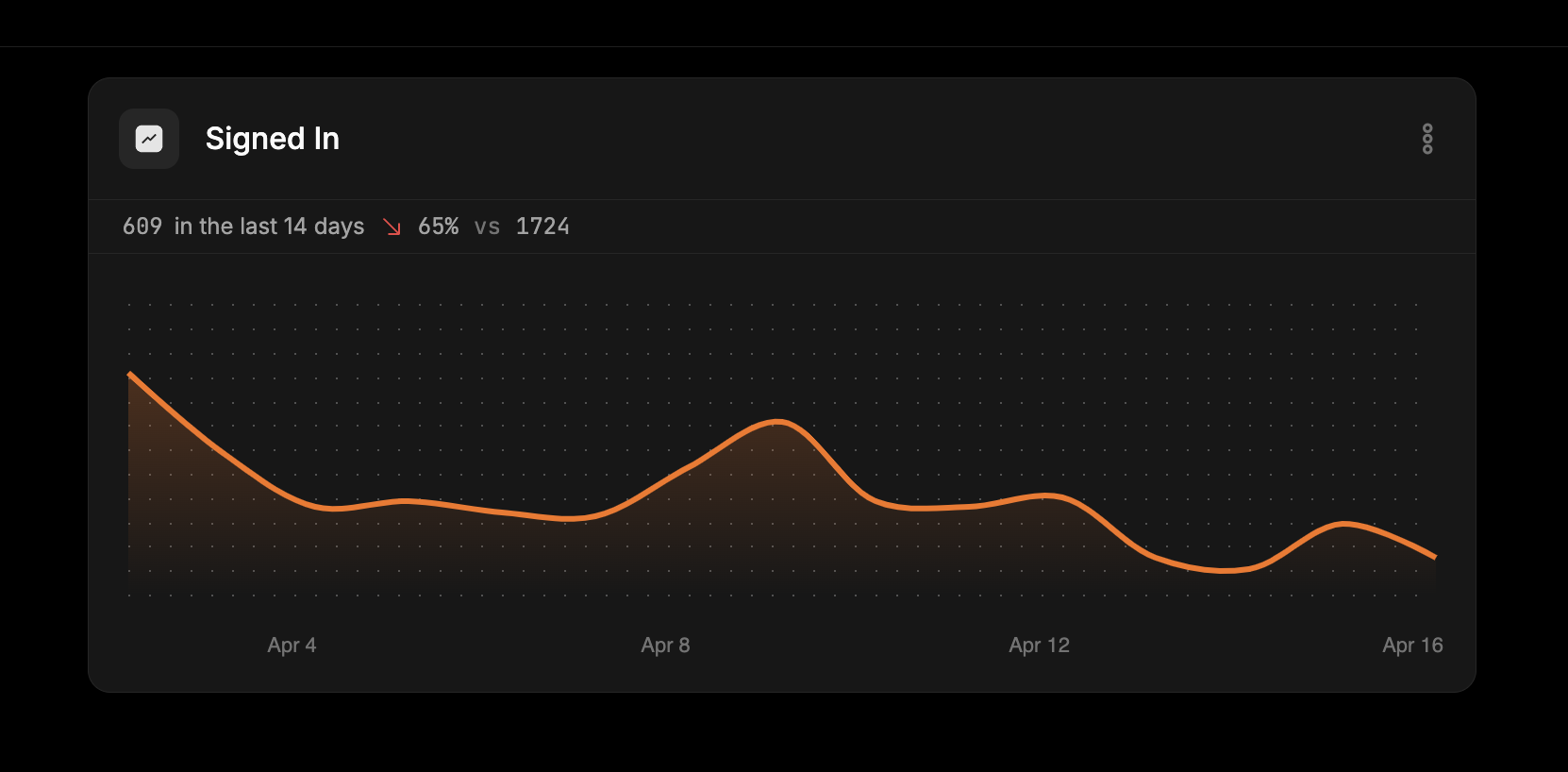

LogSnag - Events


How we implemented LogSnag

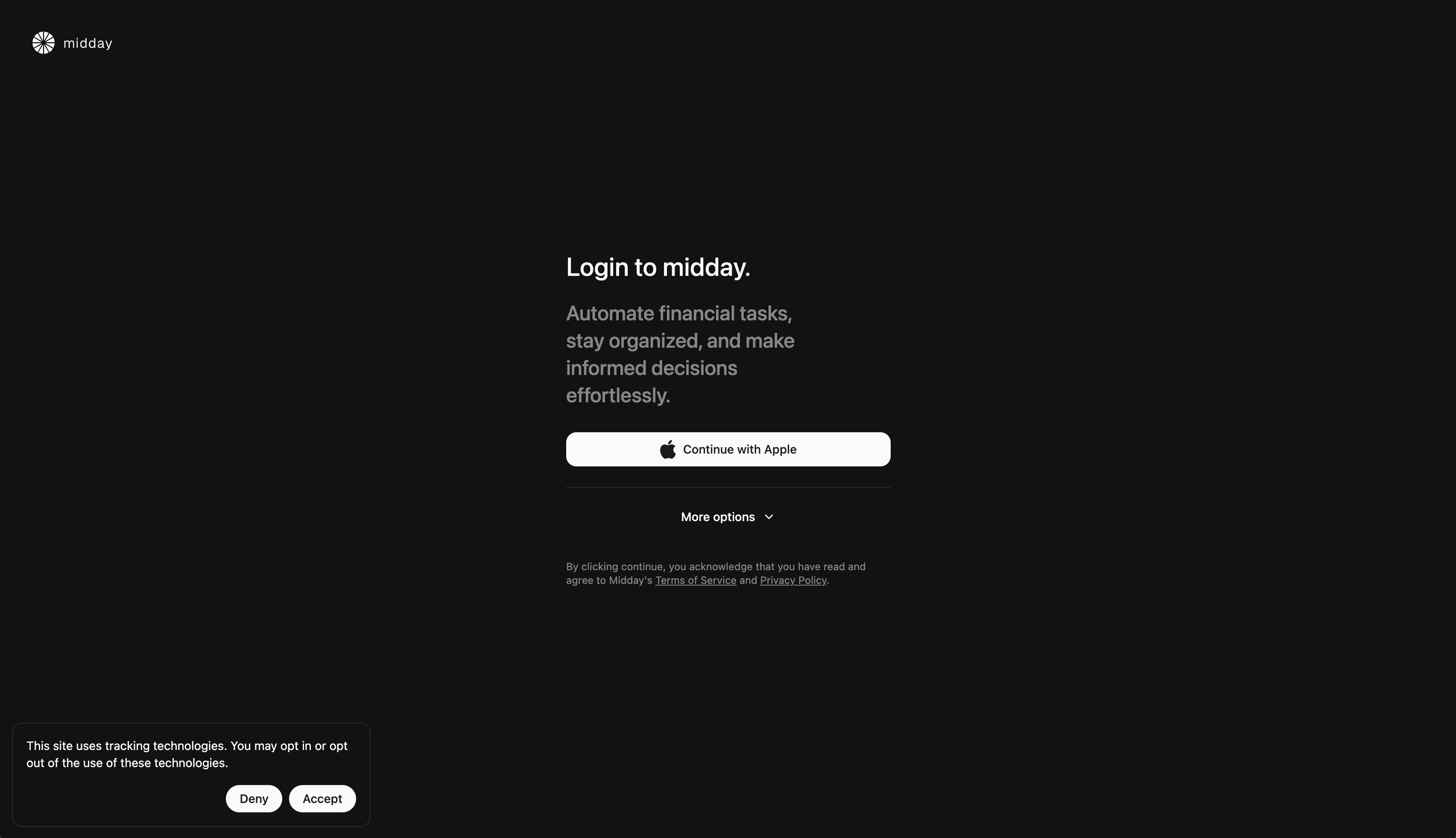
When you sign in to Midday we first ask you about tracking, we want you to keep your privacy. This is done by showing a Toast component with the option to Accept or Decline, we save this decision in a cookie so we now if we should add a identifier for the events or not.

LogSnag - Events


We run a server action called tracking-consent-action.ts:

"use server";


import { Cookies } from "@/utils/constants";

import { addYears } from "date-fns";

import { cookies } from "next/headers";

import { action } from "./safe-action";

import { trackingConsentSchema } from "./schema";


export const trackingConsentAction = action(

  trackingConsentSchema,

  async (value) => {

    cookies().set({

      name: Cookies.TrackingConsent,

      value: value ? "1" : "0",

      expires: addYears(new Date(), 1),

    });


    return value;

  }

);

We then wrap the track method from LogSnag to enable or disabled the user_id to the event.

export const setupLogSnag = async (options?: Props) => {

  const { userId, fullName } = options ?? {};

  const consent = cookies().get(Cookies.TrackingConsent)?.value === "0";


  const logsnag = new LogSnag({

    token: process.env.LOGSNAG_PRIVATE_TOKEN!,

    project: process.env.NEXT_PUBLIC_LOGSNAG_PROJECT!,

    disableTracking: Boolean(process.env.NEXT_PUBLIC_LOGSNAG_DISABLED!),

  });


  if (consent && userId && fullName) {

    await logsnag.identify({

      user_id: userId,

      properties: {

        name: fullName,

      },

    });

  }


  return {

    ...logsnag,

    track: (options: TrackOptions) =>

      logsnag.track({

        ...options,

        user_id: consent ? userId : undefined,

      }),

  };

};

We use the setupLogSnag function like this:

export const exportTransactionsAction = action(

  exportTransactionsSchema,

  async (transactionIds) => {

    const user = await getUser();


    const event = await client.sendEvent({

      name: Events.TRANSACTIONS_EXPORT,

      payload: {

        transactionIds,

        teamId: user.data.team_id,

        locale: user.data.locale,

      },

    });


    const logsnag = await setupLogSnag({

      userId: user.data.id,

      fullName: user.data.full_name,

    });


    logsnag.track({

      event: LogEvents.ExportTransactions.name,

      icon: LogEvents.ExportTransactions.icon,

      channel: LogEvents.ExportTransactions.channel,

    });


    return event;

  }

);

We have a lot of events and charts pushing us to take right decisions, you can find the source code for this in our repository here.

Engineering

How we implemented link-sharing using Dub.co

How we implemented link-sharing using Dub.co

Earlier this week Dub.co shared our customer story on why we choose Dub as our link-sharing infrastructure.


In this blog post where gonna share a little more in details how we implemented this functionality.


We have some features like Time Tracker, Reports and files from Vault that our users shares outside their company and with that we have an authorization layer on our side using Supabase, but these links are often really long because they include a unique token.


Our solution was to implement Dub to generate unique short URLs.


How we implemented sharing for our reports


Midday - Overview


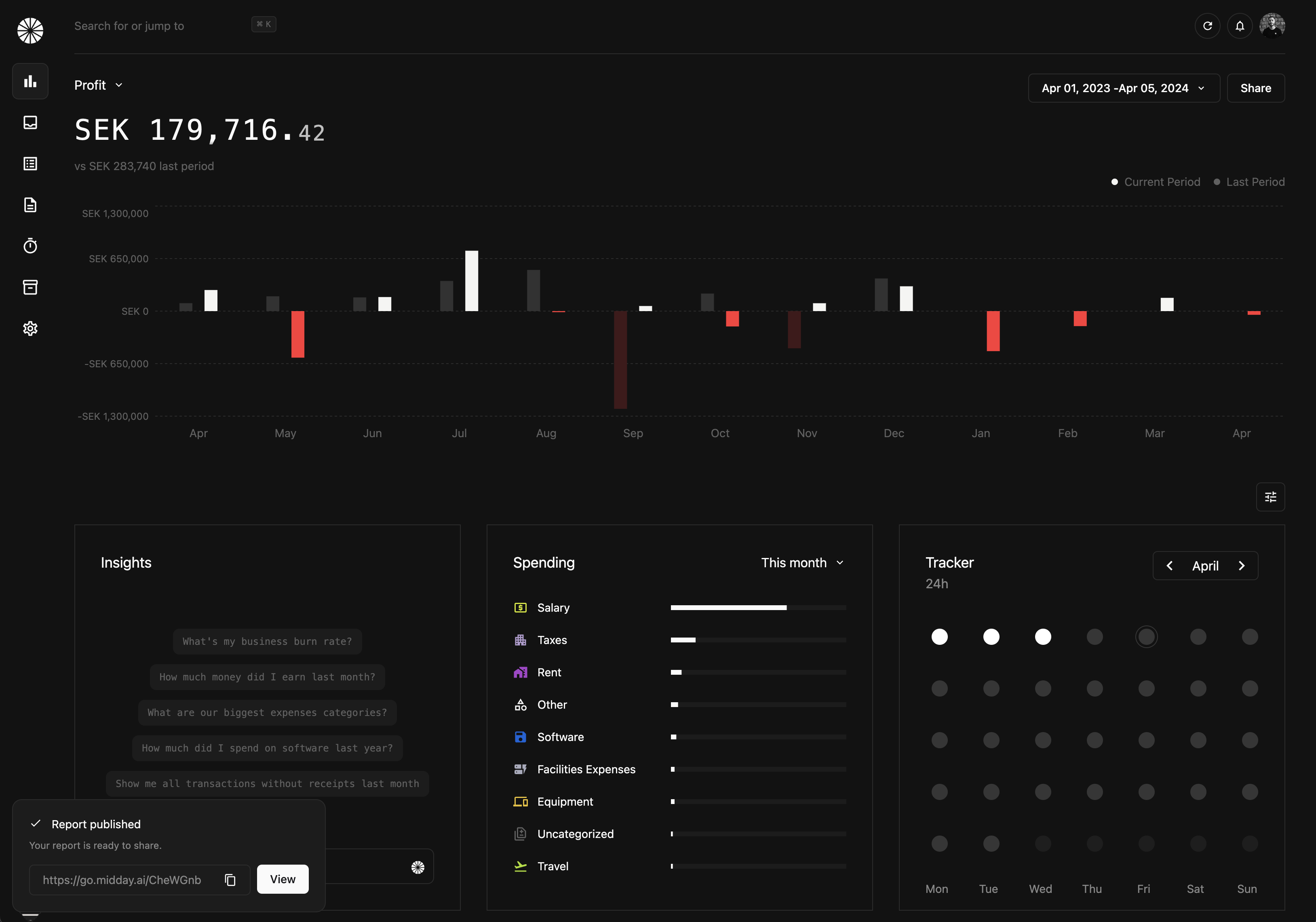
If you look closely you can se our link looks like this: https://go.midday.ai/5eYKrmV


When the user clicks Share we execute a server action using the library next-safe-action

that looks like this:

const createReport = useAction(createReportAction, {

  onError: () => {

    toast({

      duration: 2500,

      variant: "error",

      title: "Something went wrong pleaase try again.",

    });

  },

  onSuccess: (data) => {

    setOpen(false);


    const { id } = toast({

      title: "Report published",

      description: "Your report is ready to share.",

      variant: "success",

      footer: (

        <div className="mt-4 space-x-2 flex w-full">

          <CopyInput

            value={data.short_link}

            className="border-[#2C2C2C] w-full"

          />


          <Link href={data.short_link} onClick={() => dismiss(id)}>

            <Button>View</Button>

          </Link>

        </div>

      ),

    });

  },

});

The nice thing with next-safe-action is that you get callbacks on onError and onSuccess so in this case we show a toast based on the callback.


The action is pretty straightforward too, we first save the report based on the current parameters (from, to and type) depending on what kind of report we are creating.


We save it in Supabase and get a id back that we use to generate our sharable URL.

const dub = new Dub({ projectSlug: "midday" });


export const createReportAction = action(schema, async (params) => {

  const supabase = createClient();

  const user = await getUser();


  const { data } = await supabase

    .from("reports")

    .insert({

      team_id: user.data.team_id,

      from: params.from,

      to: params.to,

      type: params.type,

      expire_at: params.expiresAt,

    })

    .select("*")

    .single();


  const link = await dub.links.create({

    url: `${params.baseUrl}/report/${data.id}`,

    rewrite: true,

    expiresAt: params.expiresAt,

  });


  const { data: linkData } = await supabase

    .from("reports")

    .update({

      link_id: link.id,

      short_link: link.shortLink,

    })

    .eq("id", data.id)

    .select("*")

    .single();


  const logsnag = await setupLogSnag();


  logsnag.track({

    event: LogEvents.OverviewReport.name,

    icon: LogEvents.OverviewReport.icon,

    channel: LogEvents.OverviewReport.channel,

  });


  return linkData;

});

With the combination of server actions, Supabase and Dub we can create really beautiful URLs with analytics on top.


You can find the source code for this in our repository here.

Engineering

Why Midday trusts Resend to send financial notifications

Why Midday trusts Resend to send financial notifications

From sign up, to implementing the SDK, Resend was different - we were setup in less than an hour.


Here at Midday, we care deeply about design, and we knew from the beginning that we wanted branded emails with reusable components.


By integrating react.email with Tailwind CSS, we've crafted an optimal user experience. This combination has been transformative, allowing us to enable our local development and online hosting.


The transition to Resend was strikingly smooth. I'm used to other services where you need to request access, quotes, and other information before getting started. From sign up, to implementing the SDK, Resend was different - we were setup in less than an hour.


We use Resend to ensure that our clients receive notifications for new bank transactions, invitations, and other significant interactions. What truly sets Resend apart for us are the continuous changes and improvements, like the Batch API, which specifically helped optimize our invite system.


I didn't think that you could further innovate an email API, but Resend keeps shipping features that we did not know we needed.


We haven't had the need to contact Resend for support yet, but the team has supported us while we shared our journey building emails on X, which truly showed me how they differ from other email providers in the best way.


I'm really excited for our launch, along side my co-founder Viktor Hofte.


Resend is a game changer when it comes to developer experience and design. If you care deeply about your product you should use Resend.


This is a cross post from Resend