With our upcoming Invoicing feature, we have explored various methods to generate PDF invoices, ranging from running Puppeteer to using a headless browser on Cloudflare, as well as considering paid services and generating PDFs using React.
We've noticed that generating PDF invoices is a common challenge in the developer community, so we decided to share our solution with you.
Invoice in Midday
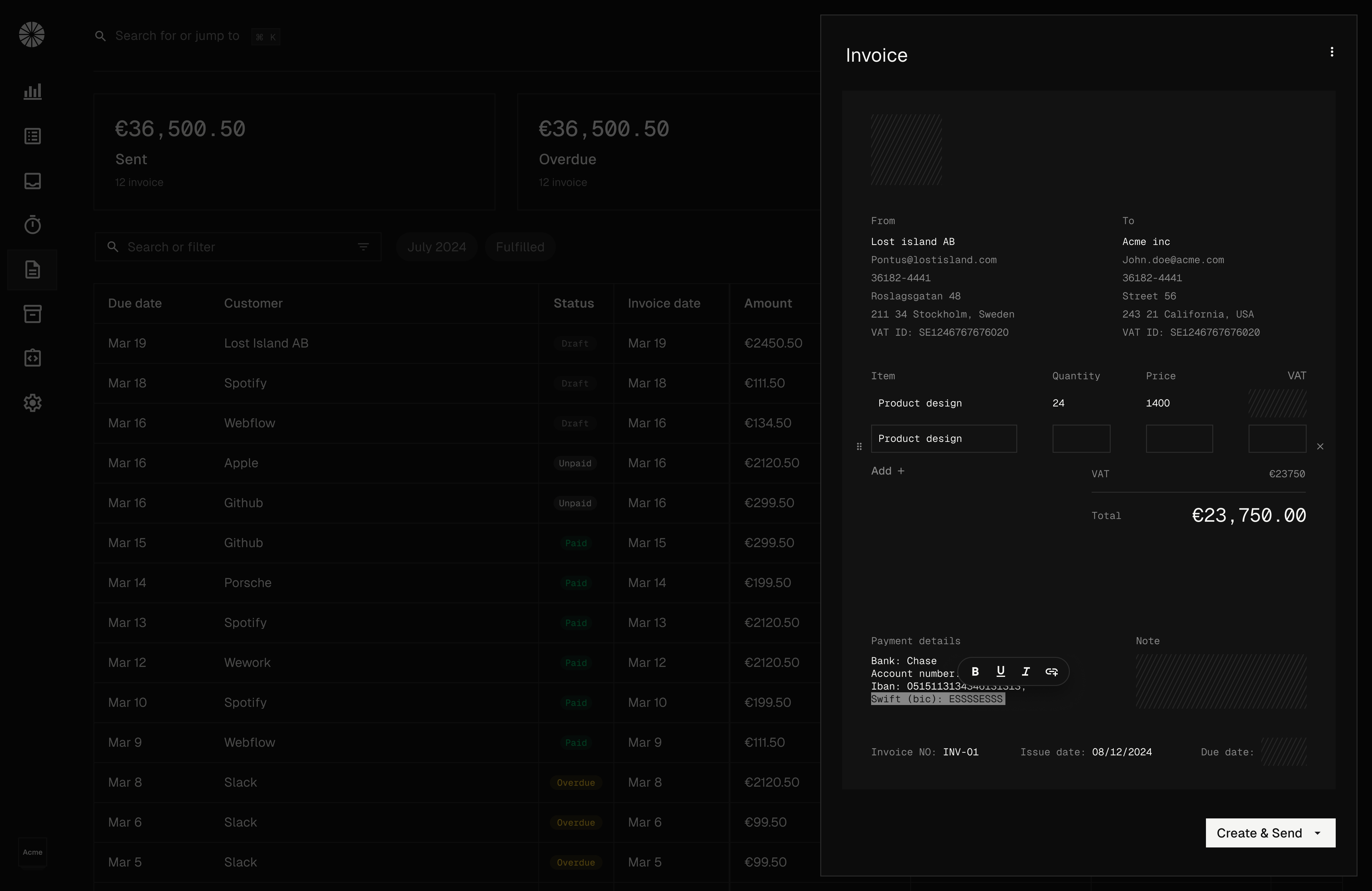
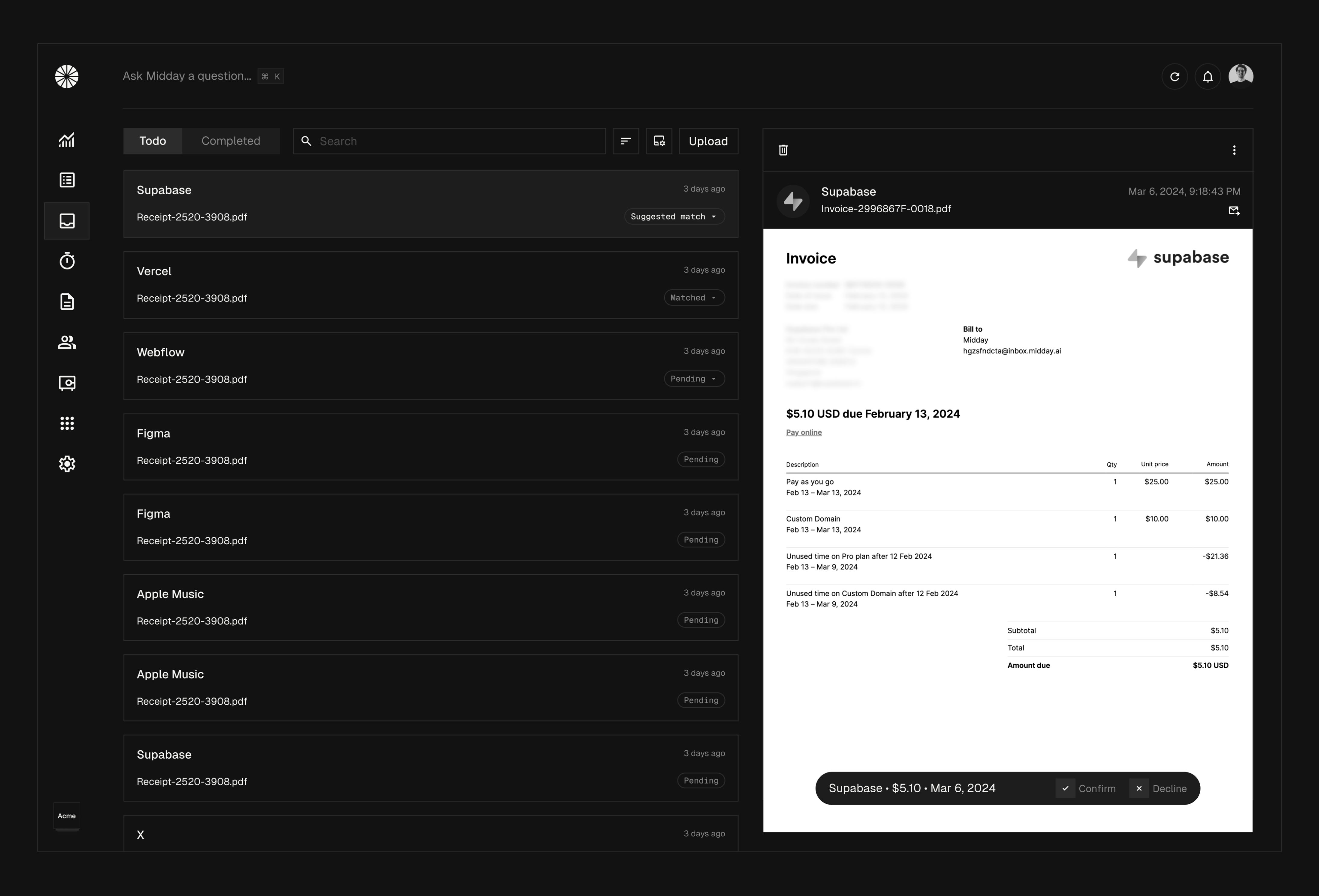
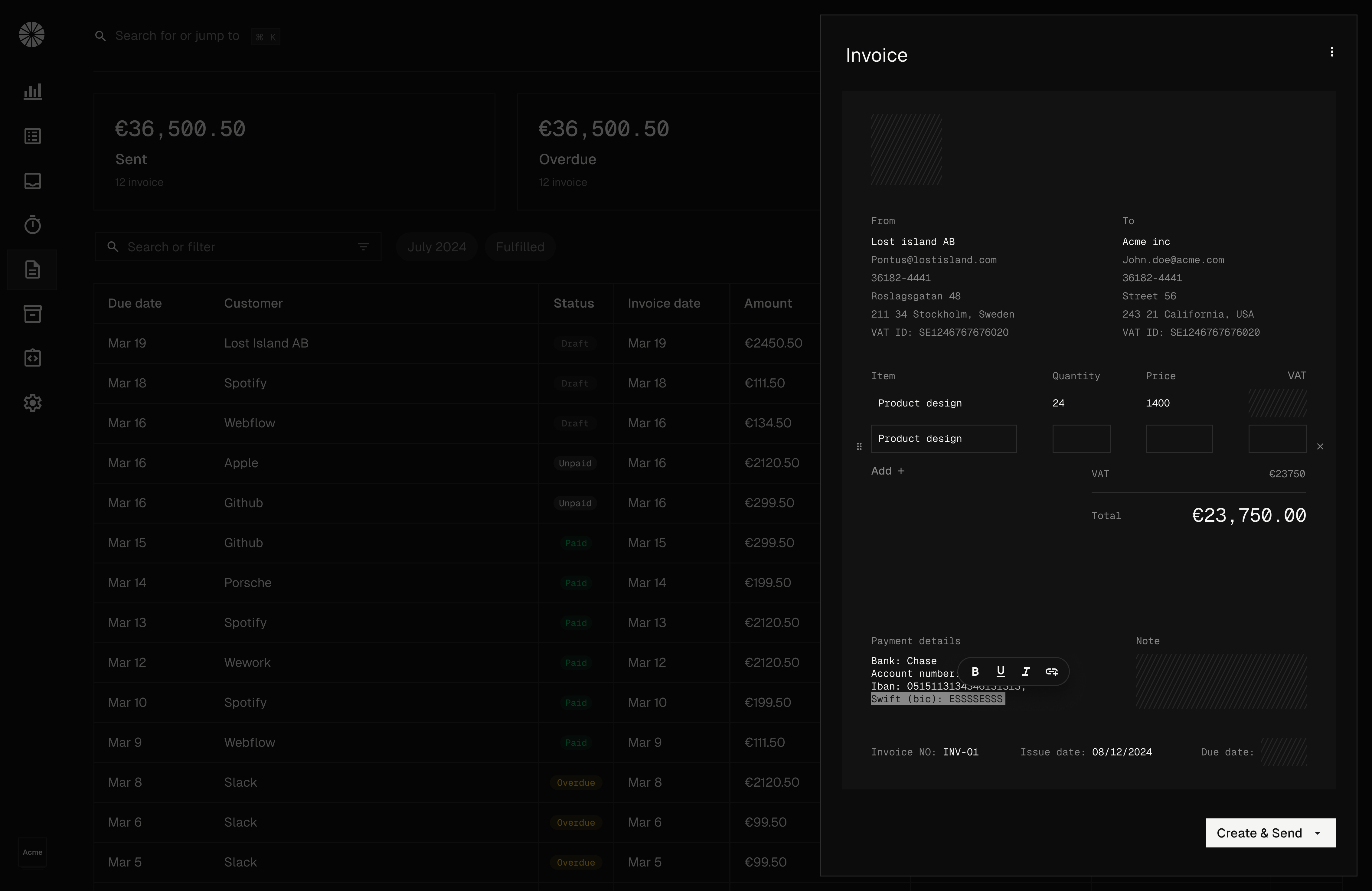
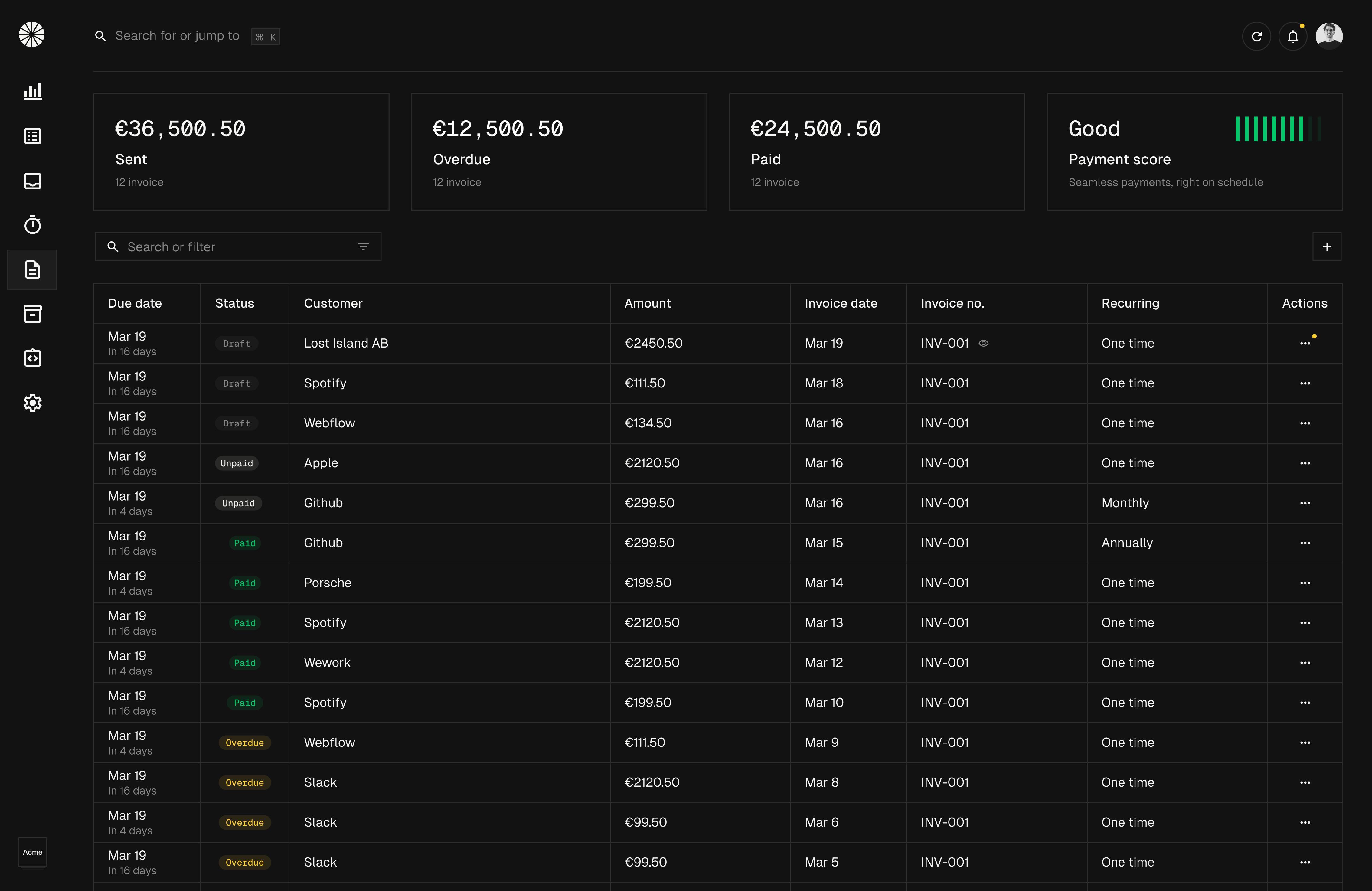
We are building a new experience for invoices in Midday. You'll be able to create and send invoices to your customers, as well as generate PDFs for each invoice.
Our interface is highly customizable with a visual editor where you can easily change the layout, add your logo, and tailor the text to your preferences.
We use an editor based on Tiptap to support rich text, with AI-powered grammar checking and text improvement available at the click of a button.
While the editor saves the content using JSON, we also needed to ensure compatibility with our PDF generation process.
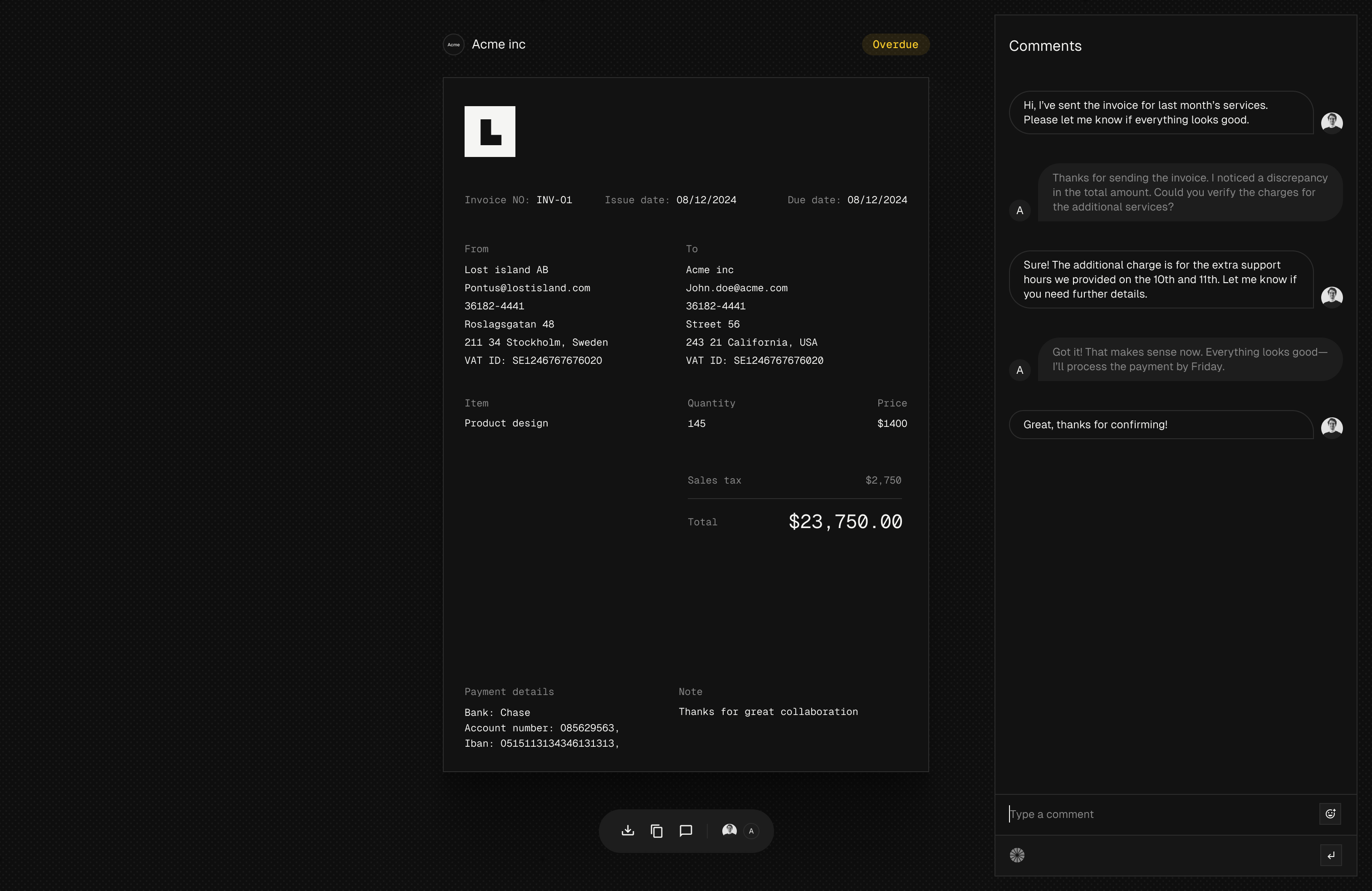
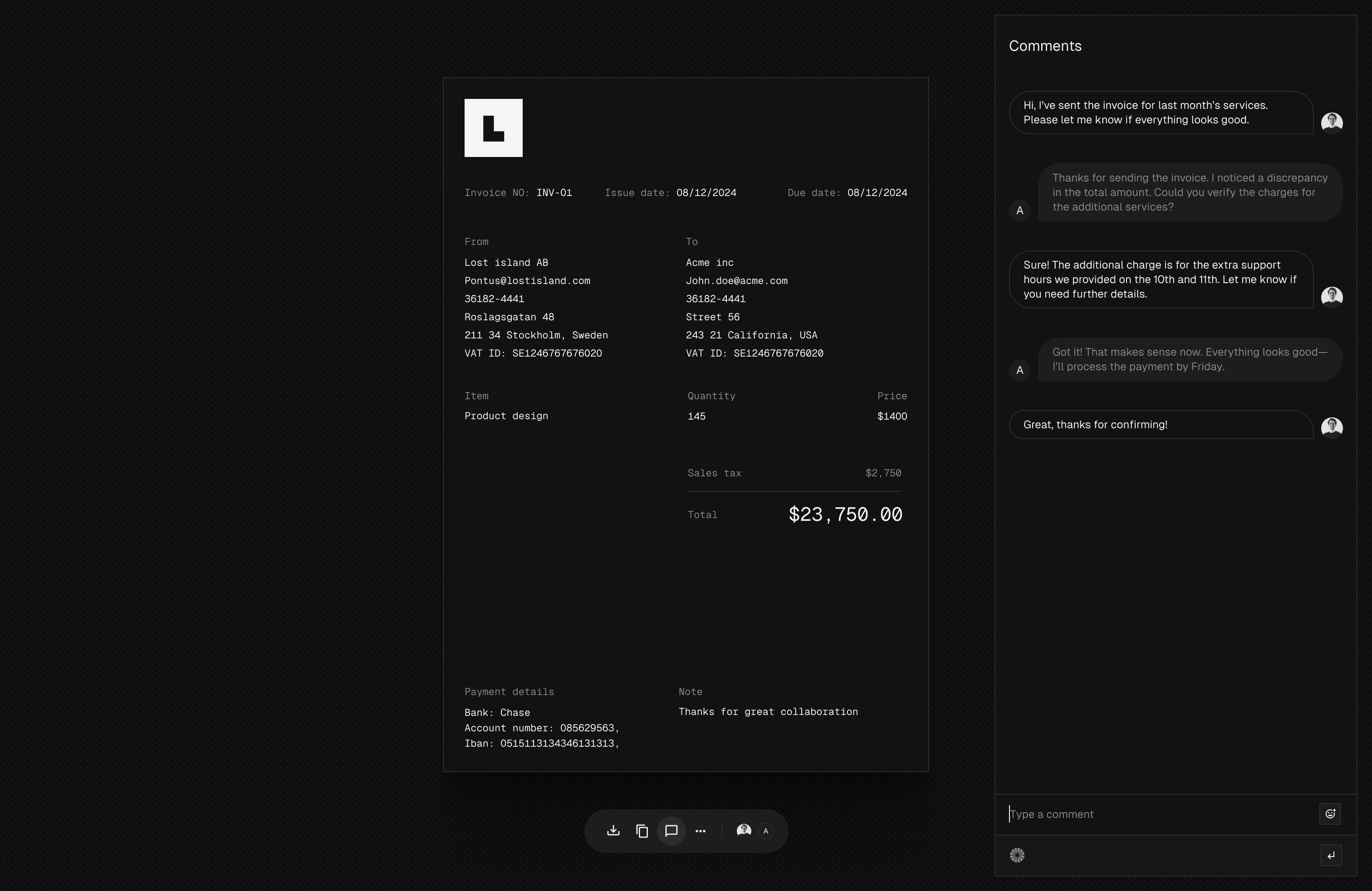
When you send an invoice to a customer, they will receive an email with a unique link to the invoice. Clicking this link will render the invoice on a web page where you and the
customer can communicate in real-time using our chat interface.
You'll also be able to track when the customer has viewed the invoice and if they have any questions about it.
PDF Generation
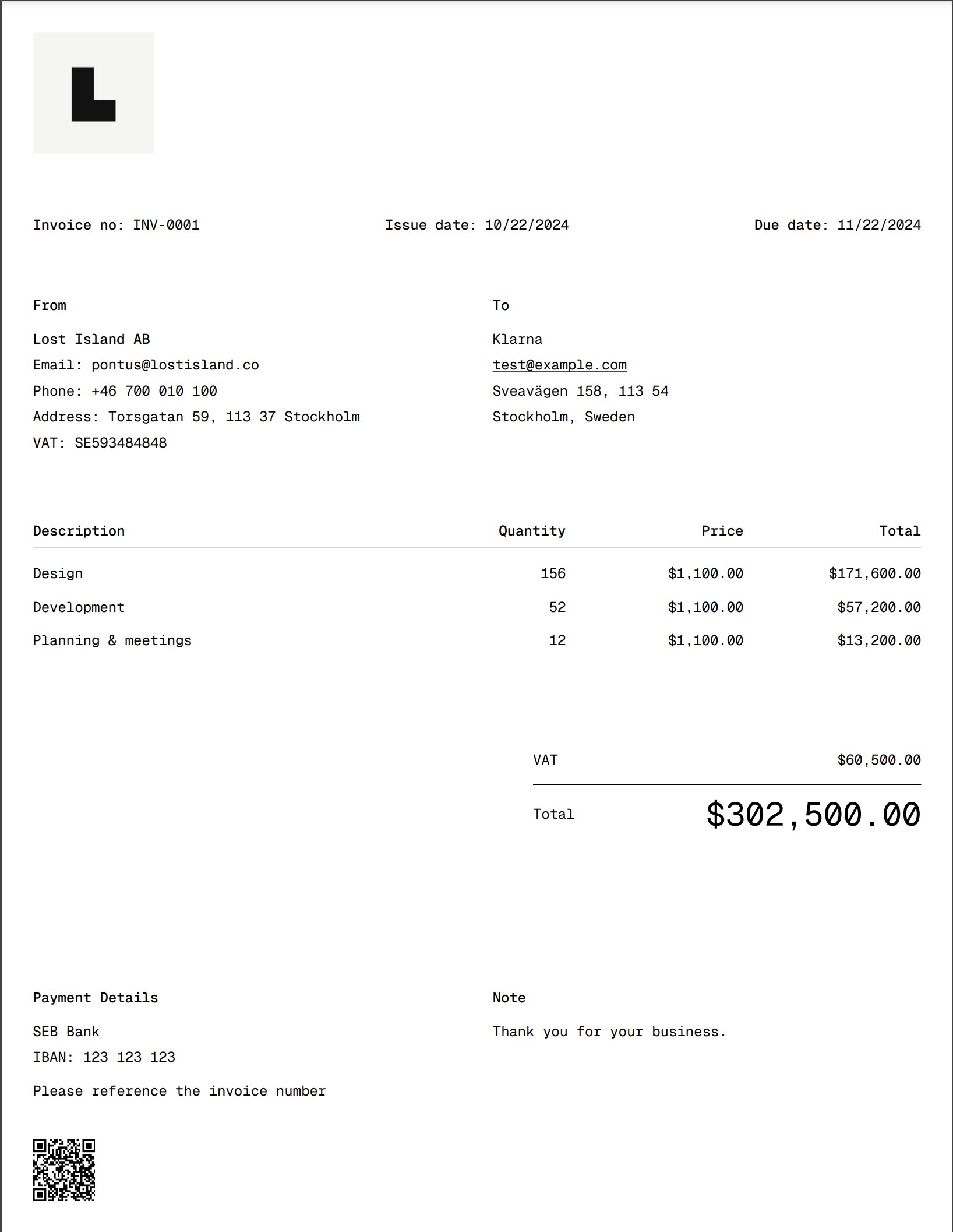
There are numerous ways to generate PDFs, and we've explored many different solutions. While we considered paid services, we ultimately decided to prioritize giving you full control over the invoices without relying on external services.
We went with react-pdf to generate the PDFs. This is a great library that allows us to generate PDFs using React. We can easily customize the layout and add our own styles to the documents and it feels just like react-email concept where we use react to generate our templates.
The invoice is then generated and saved to your Vault, so we can match it to incoming transactions and mark it as paid.
We first create an API endpoint that will generate the PDF and return the PDF as Content Type application/pdf.
import { InvoiceTemplate, renderToStream } from "@midday/invoice";

import { getInvoiceQuery } from "@midday/supabase/queries";

import { createClient } from "@midday/supabase/server";

import type { NextRequest } from "next/server";


export async function GET(req: NextRequest) {

  const supabase = createClient();

  const requestUrl = new URL(req.url);

  const id = requestUrl.searchParams.get("id");

  const size = requestUrl.searchParams.get("size") as "letter" | "a4";

  const preview = requestUrl.searchParams.get("preview") === "true";


  if (!id) {

    return new Response("No invoice id provided", { status: 400 });

  }


  const { data } = await getInvoiceQuery(supabase, id);


  if (!data) {

    return new Response("Invoice not found", { status: 404 });

  }


  const stream = await renderToStream(await InvoiceTemplate({ ...data, size }));


  const blob = await new Response(stream).blob();


  const headers: Record<string, string> = {

    "Content-Type": "application/pdf",

    "Cache-Control": "no-store, max-age=0",

  };


  if (!preview) {

    headers["Content-Disposition"] =

      `attachment; filename="${data.invoice_number}.pdf"`;

  }


  return new Response(blob, { headers });

}
With this approach we can also add ?preview=true to the URL to generate the PDF in the browser without downloading it. This is useful for previewing the invoice before generating the PDF.
React PDF Invoice Template
And here is the template for the invoice, we register a custom font, generate a QR code and making sections and formatting the invoice.
You can find the full code for the invoice template here.
import { Document, Font, Image, Page, Text, View } from "@react-pdf/renderer";

import QRCodeUtil from "qrcode";

import { EditorContent } from "../components/editor-content";

import { LineItems } from "../components/line-items";

import { Meta } from "../components/meta";

import { Note } from "../components/note";

import { PaymentDetails } from "../components/payment-details";

import { QRCode } from "../components/qr-code";

import { Summary } from "../components/summary";


const CDN_URL = "https://cdn.midday.ai";


Font.register({

  family: "GeistMono",

  fonts: [

    {

      src: `${CDN_URL}/fonts/GeistMono/ttf/GeistMono-Regular.ttf`,

      fontWeight: 400,

    },

    {

      src: `${CDN_URL}/fonts/GeistMono/ttf/GeistMono-Medium.ttf`,

      fontWeight: 500,

    },

  ],

});


export async function InvoiceTemplate({

  invoice_number,

  issue_date,

  due_date,

  template,

  line_items,

  customer_details,

  from_details,

  payment_details,

  note_details,

  currency,

  vat,

  tax,

  amount,

  size = "letter",

  link,

}: Props) {

  const qrCode = await QRCodeUtil.toDataURL(

    link,

    {

      width: 40 * 3,

      height: 40 * 3,

      margin: 0,

    },

  );


  return (

    <Document>

      <Page

        size={size.toUpperCase() as "LETTER" | "A4"}

        style={{

          padding: 20,

          backgroundColor: "#fff",

          fontFamily: "GeistMono",

          color: "#000",

        }}

      >

        <View style={{ marginBottom: 20 }}>

          {template?.logo_url && (

            <Image

              src={template.logo_url}

              style={{

                width: 78,

                height: 78,

              }}

            />

          )}

        </View>


        <Meta

          invoiceNoLabel={template.invoice_no_label}

          issueDateLabel={template.issue_date_label}

          dueDateLabel={template.due_date_label}

          invoiceNo={invoice_number}

          issueDate={issue_date}

          dueDate={due_date}

        />


        <View style={{ flexDirection: "row" }}>

          <View style={{ flex: 1, marginRight: 10 }}>

            <View style={{ marginBottom: 20 }}>

              <Text style={{ fontSize: 9, fontWeight: 500 }}>

                {template.from_label}

              </Text>

              <EditorContent content={from_details} />

            </View>

          </View>


          <View style={{ flex: 1, marginLeft: 10 }}>

            <View style={{ marginBottom: 20 }}>

              <Text style={{ fontSize: 9, fontWeight: 500 }}>

                {template.customer_label}

              </Text>

              <EditorContent content={customer_details} />

            </View>

          </View>

        </View>


        <LineItems

          lineItems={line_items}

          currency={currency}

          descriptionLabel={template.description_label}

          quantityLabel={template.quantity_label}

          priceLabel={template.price_label}

          totalLabel={template.total_label}

        />


        <Summary

          amount={amount}

          tax={tax}

          vat={vat}

          currency={currency}

          totalLabel={template.total_label}

          taxLabel={template.tax_label}

          vatLabel={template.vat_label}

        />


        <View

          style={{

            flex: 1,

            flexDirection: "column",

            justifyContent: "flex-end",

          }}

        >

          <View style={{ flexDirection: "row" }}>

            <View style={{ flex: 1, marginRight: 10 }}>

              <PaymentDetails

                content={payment_details}

                paymentLabel={template.payment_label}

              />


              <QRCode data={qrCode} />

            </View>


            <View style={{ flex: 1, marginLeft: 10 }}>

              <Note content={note_details} noteLabel={template.note_label} />

            </View>

          </View>

        </View>

      </Page>

    </Document>

  );

}
What's next?
We will be launching the Invoicing feature soon to our early access users, let us know if you want to be included in the early access program to get all the new features as soon as they are ready.
We would love to hear what you think about the Invoicing feature, and we would love to hear from you if you have any ideas or feedback for the feature.
Sign up for an account and start using Midday today.